
I just fixed the strangest problem with my home office setup. The solution was as simple as the problem was weird to begin with. Conclusion: the IT checklists makes sense.
A while ago, I got myself a Dell 2723QE display with built-in KVM switch functionality. I have my work laptop on a USB-C Thunderbolt cable, and my private desktop on DisplayPort and USB-C. There are quite a few things attached to the display, including a keyboard, a mouse, USB speakers, a USB microphone, and a USB webcam. Plus a second display hanging off on DisplayPort passthrough. This has been a wonderful productivity setup.
Failure
And then it just stopped working. The computer would start, and the display showed the BIOS logo screen and then the Windows spinner. But at the point where you would expect to see the login screen, the display would go black and say “No DP Signal, Turning off”. At the same time, the speakers played the sound that Windows plays when it has reached the login screen. The flow of events:
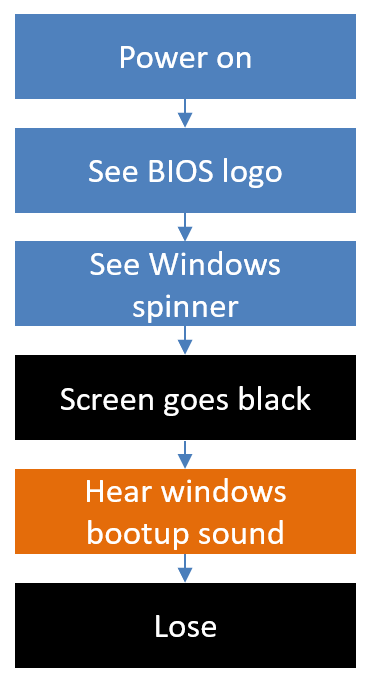
That is annoying.
My first attempt at fixing it was to boot into Windows recovery mode and uninstall the most recent updates. This felt like a “Windows got messed up” problem. Reboot. Same problem. It was not the most recent Windows update.
Rollback Driver
My next suspicion was that the Intel driver was to blame. The display went black at the point where the Windows display driver takes over from the driver in the BIOS. So, I went ahead and used Windows recovery mode to reboot into safe mode with networking.
That worked, and I got a Windows desktop. Which does indicate that Windows itself was fine. I used the safe mode to download an older version of the Intel driver, on the assumption that the problem was with the new version of the driver.
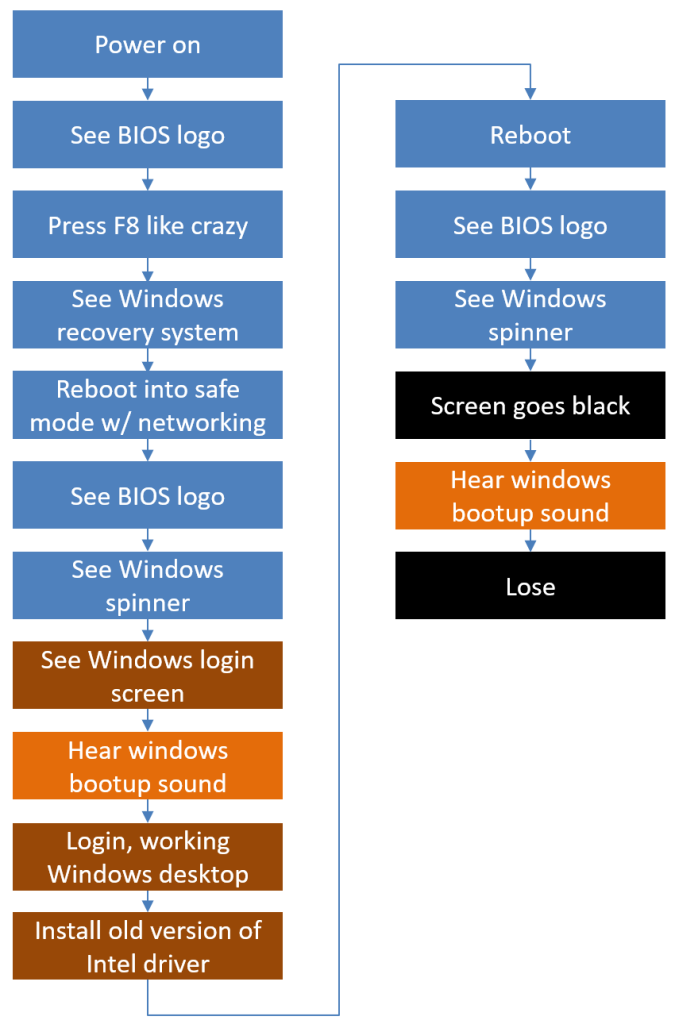
Well, that did not work either. Rebooting resulted in the same black screen.
Get Rid of That Driver
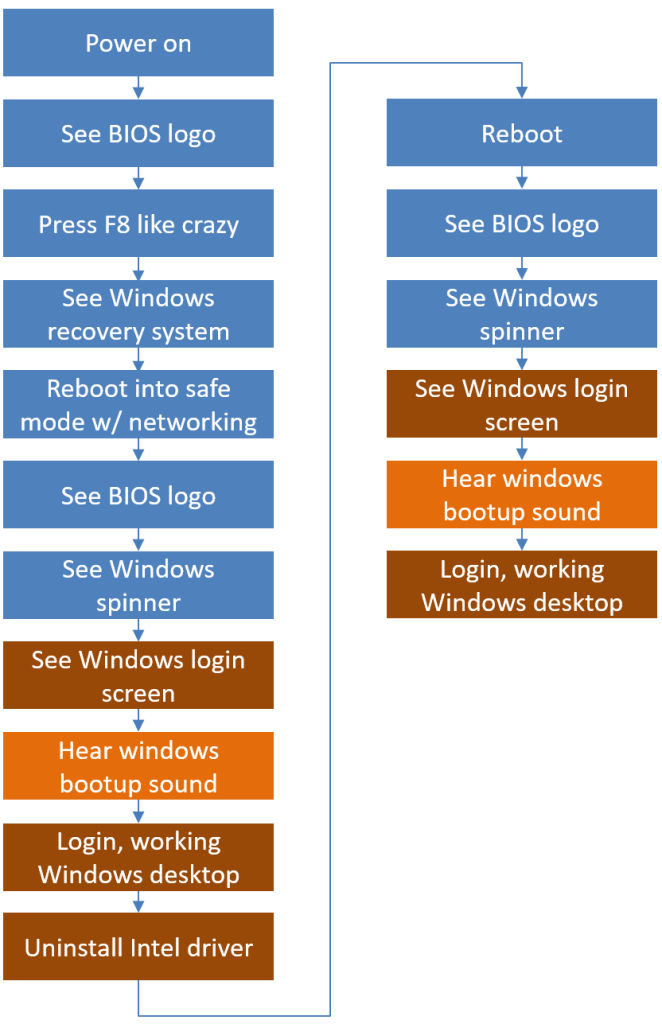
Next attempt – I disabled and uninstalled the Intel driver to see if that would shake Windows out of its funk. I booted into safe mode again and disabled the driver in the device manager. After rebooting, Windows came up normally, but without driving a picture on the second display.
Still, Windows seemed OK. The display seemed OK. At least I would not have to go down the route of reinstalling Windows from scratch.
Install the Driver Again
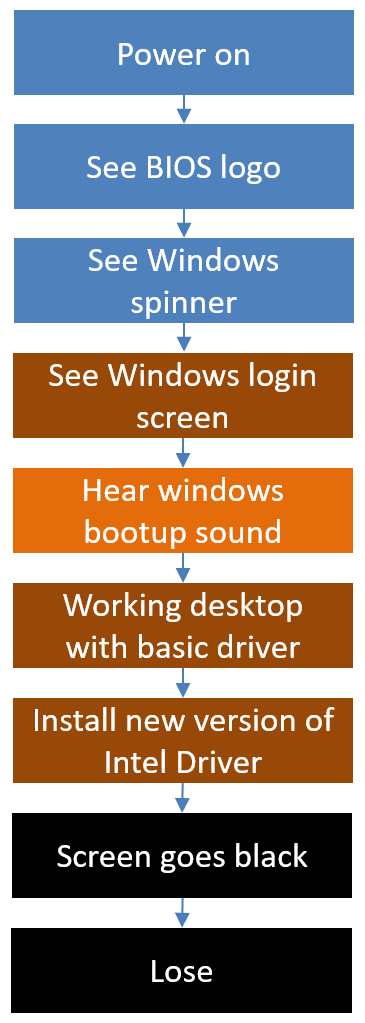
From that state, I tried to install the latest version of the Intel driver. If the old version had the same problem, installing the latest using a clean install seemed like a reasonable strategy. This resulted in the most surprising result so far. I had a working Windows desktop, I ran the installer. And exactly when the driver installer said “activating new driver”… the screen went black. Clearly the Intel driver was to blame.
Desperation.
Screen A-Screen B
At this point I started to act more rationally, I think. Maybe it was something with the display itself? I tested this by connecting the desktop to a spare display. And that worked without a problem.
Say what? The facts at this point:
- Windows is fine
- Screen is fine with basic drivers
- Intel Driver + Dell 2723QE = black screen
- Intel Driver + other display = works
I.e., hard to blame the Intel driver.
The Cable?
Could it be something with the DP cable used? Could the Intel driver somehow be more careful in detecting the cable signaling and shut down the signal, where the basic driver would not? Quick test proved this was not the case.
IT Checklist
At this point, I did what I should have started with.
I pulled the plug on the Dell 2723QE display. I had tried turning it off and on via the power switch, with no effect. Now, I physically unplugged the display from the mains, waited the mandatory ten seconds, and plugged it back in.
And the Windows desktop came back to life. Everything worked.
A week of troubleshooting ended with the first thing I should have done. Turn it off and turn it on again.
The firmware on that display does behave funny at times, and doing a hard reset should have been the obvious first move. For example, here is something it showed a while ago:
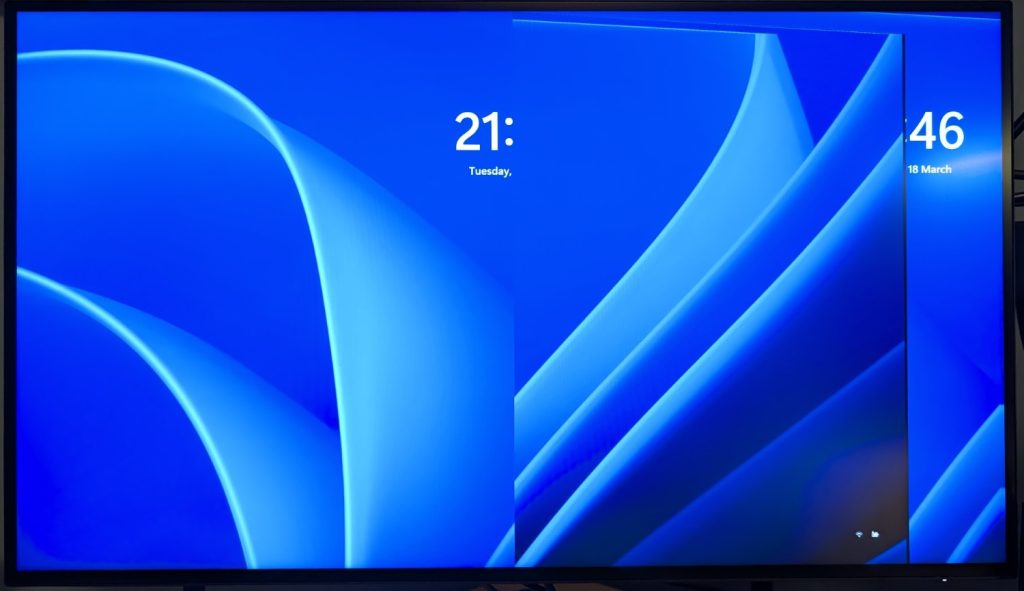
I have also seen it get into picture-in-picture mode spontaneously. Maybe it has a few too many features for its own good.
Doopid Dell Display.
But now it is back to working at least. Next time funky stuff happens I know where to start.
One thought on “Dat Dell Display is Doopid”